
Planning & Designing Network Infrastructure for Chain Restaurants
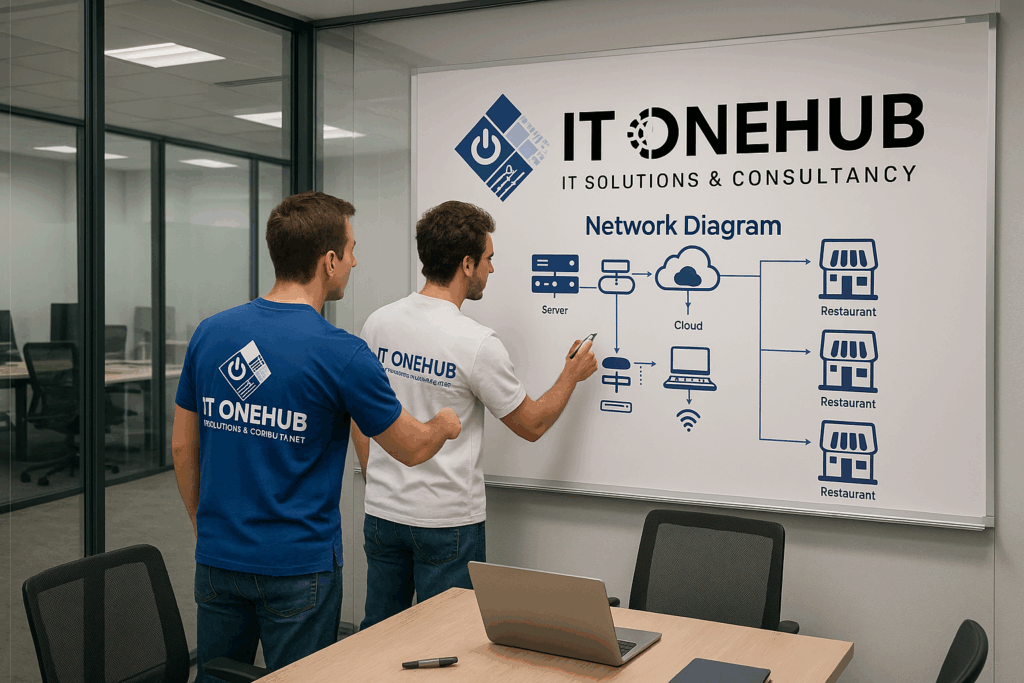
Secure VPN + Firewall Setup for Simphony POS & Other Applications
Tags: Restaurant IT Network, Simphony POS VPN, Firewall for Restaurants, Multi-location POS setup, Chain Restaurant Network Design, IT OneHub Dubai
In today’s digital-first F&B environment, reliable and secure IT infrastructure is the backbone of every successful chain restaurant. Whether you’re running a café brand with multiple branches or an upscale fine-dining chain, setting up a centralized yet secure network is vital—especially when using enterprise applications like Oracle Simphony POS, cloud inventory tools, or remote reporting dashboards.
At IT OneHub – Dubai, we specialize in planning, designing, and deploying network infrastructure for chain restaurants, ensuring data consistency, branch-level security, and centralized control.
🔧 Why Network Planning Matters for Multi-Branch Restaurants
Chain restaurants face unique challenges:
- Need to connect all locations securely
- Shared applications (e.g., Simphony, Inventory, HR) hosted centrally
- Bandwidth management during peak hours
- Payment security (PCI compliance)
- CCTV, PBX, and IoT systems in every outlet
Without a professionally designed network, you risk:
- POS downtimes
- Data breaches
- Sync failures
- Staff frustration and customer dissatisfaction
🧠 Strategic Planning: The IT OneHub Approach
We follow a 3-phase method to deploy a scalable and secure restaurant network:
1. Assessment & Scope
- Number of branches and their locations
- Type of applications (POS, ERP, Back Office)
- Internet availability and speed
- On-prem vs cloud requirements
2. Design & Architecture
- Shared Central Server or Cloud Hosting: Oracle Simphony or custom POS/ERP hosted in a centralized location (Dubai-based or global)
- Secure VPN Tunnels: Each branch connects to HQ via site-to-site VPN or client VPN, using static IPs for authentication
- Enterprise Firewalls at each site (e.g., FortiGate, SonicWall)
- VLANs for:
- POS network
- Guest Wi-Fi
- Admin/Back-office
- CCTV & PABX
- Load balancing and failover options
3. Implementation & Ongoing Support
- Hardware installation: routers, firewalls, switches, APs
- Cabling and rack setup with proper dressing
- Configuration of DHCP, static IPs, firewall rules
- Remote and onsite monitoring
- 24/7 helpdesk and SLA-backed support
🔐 VPN & Firewall: The Core of Secure Connectivity
Your POS system (like Simphony) and other apps must communicate with the central server securely and without latency. Here’s how we ensure that:
✅ VPN for Chain Restaurants
- Site-to-site VPN tunnels for inter-branch connectivity
- SSL VPNs for management team remote access
- Full encryption using AES-256
- Auto-reconnect and fallback on internet drops
✅ Enterprise Firewall Deployment
- FortiGate/WatchGuard firewalls per branch
- Intrusion Prevention System (IPS)
- MAC filtering, geo-blocking, and app control
- Customized rules for Simphony traffic, APIs, and internal tools
🖥️ Centralized Hosting for Simphony POS
Simphony’s architecture supports centralized cloud hosting. We ensure:
- Static IP routing to each outlet
- Database syncing over secure VPN
- Firewall exceptions for Oracle services
- Redundant internet connections at HQ
- Secure access control for HQ admins only
📈 Benefits for Restaurant Owners
- 🔒 End-to-end encrypted communication
- 📊 Real-time sales & reporting from all branches
- ⚡ Faster POS transactions
- 🧾 Simplified inventory and accounting
- 🛠️ Centralized updates and patching
- 📡 No risk of unauthorized access
💬 Looking to Upgrade or Expand?
Let us help you design a secure, reliable, and fast network tailored to your restaurant chain’s specific needs. Whether you’re opening a new branch or looking to migrate your POS to a centralized model—IT OneHub is your trusted partner.
📞 Contact us today for a free consultation:
🌐 www.itonehub.com
📧 [email protected]